I’ve never really been big into simulation games. My only two experiences happened many years ago when I was in school, and neither went well. I once played a game where you ran your own zoo, except instead of normal animals like zebras and lions, you kept dinosaurs. Being in elementary school and not yet understanding the value of money, I immediately bought the most expensive dinosaur available. I was then unable to ever make a profit because I was spending more money on maintenance than I was earning from the few people brave enough to visit my very dangerous zoo containing an actual live dinosaur. Then there was the time several people in class were taking turns playing a game where you built your own Roman city. When it was my turn to play, the city promptly caught on fire, and no one, including the teacher, could figure out how to put it out. Nevertheless, when I saw footage of Two Point Campus, I was still intrigued enough that I thought I’d give the sims genre another try. Maybe I’d have better luck in my adulthood.
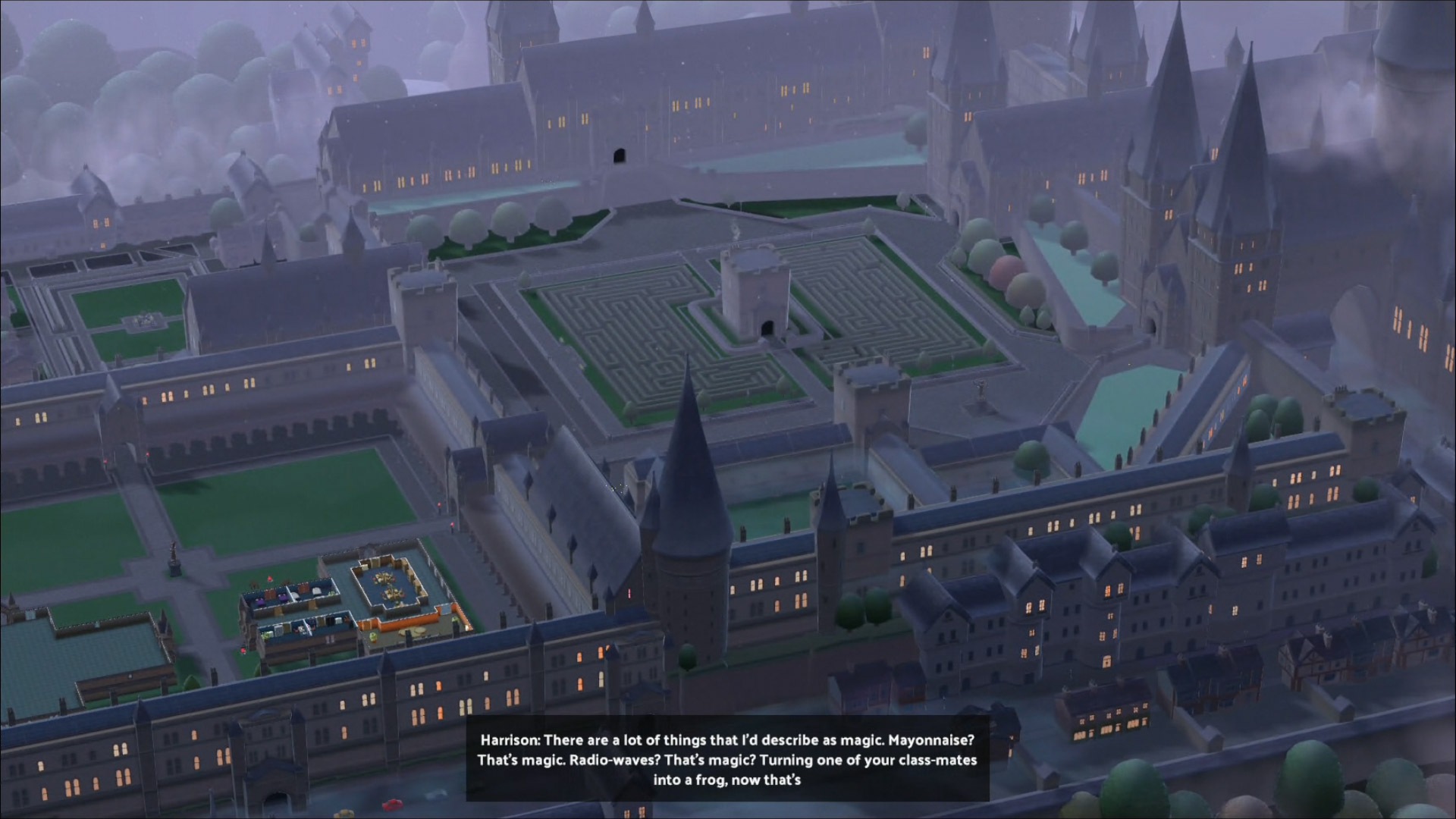
Two Point Campus is a business management sim where you manage a variety of college campuses. While I only played through a small portion of what this game has to offer, I think I have a pretty decent grasp on the gameplay. I started with Campaign mode, where you work your way through one college at a time, gaining a 1-star rank by accomplishing certain tasks before the next college is unlocked. The goals can include such things as achieving a certain level of student happiness, reaching the correct Campus Level, or just having a certain number of students complete Private Tuition. The campuses that I worked on ranged from robotics or basic science to cooking, but there are more interesting options available later on, such as wizard school, archeology, spy school, and a school for training a whole new generation of knights. If you’d like more freedom, you can instead choose Sandbox mode, which allows you to do any college you want. At this point, I decided to really focus on Spiffinmoore, the wizarding college, which looked like the most interesting of the bunch.
Despite the limited freedom, I would recommend starting with Campaign mode, however, since this is where you’ll be taught about the game’s basics, such as how to pick classes, hire staff, and build rooms. The problem I faced, however, was that the game gives up teaching you fairly early on and expects you to figure everything else out yourself. And that is why I’ve listed a few tips below:
- If you want to edit an already established room, click somewhere on the floor. This gives you the option to add items specific to that room, pick it up, expand it, copy it, or make a template, among other things.
- When you hire staff, be sure to set them down in the room in which they should be working. This is most relevant when it comes to assistants. For example, I had someone with medical skills, and I just assumed they would know to work in the Medical Office. But no, they just wandered off and found other work. So definitely place them inside that room so they know where they should be working.
- They also never tell you how to buy a plot of land. This can be done by zooming out beyond the maximum, which will open a menu that shows the plots of land for sale. You can also go to Management View in the bottom left corner of the screen, below where you select the option to build new rooms.
- They also never explain how to set up an event, like a party. To do this, look to the right of the option to hire staff. (On the PS4, you use L1 and R1 to select these extra options.) Next, go to Timetable, then Create New Event, and boom, there you go.

Even after I finally figured out how the game worked, my time with Two Point Campus was certainly hectic. Of course, you need to manage students’ grades by hiring skilled staff and ensuring that Private Tuition rooms are available for struggling students. But good grades aren’t everything. You also need to keep them happy by giving them entertainment, scheduling parties and movie nights and whatnot, and making sure they have everything else they might need, like bathrooms, food and drink, and rooms of the proper temperature. Along with keeping grades up and making people happy and comfortable, you also need to manage intruders that occasionally show up to cause trouble and make sure you hire plenty of janitors and place plenty of trash cans to keep up with litter. And even then, you’re still going to have hooligans leaving trash around…
You won’t exactly be bored in Two Point Campus, as there are plenty of ways to keep busy as your students and staff go about their day. Just watching all these little people walk around in the campus that you created is fun enough on its own, although I have seen people get stuck in doorways or sit on air from time to time. Which only makes things funnier. Somehow, I found myself entertained enough just by watching my students play arcade games, chowing down on a variety of foods in the Cafeteria, or participating in class (whether it be wizard duels or baking giant cakes). And their exaggerated mannerisms when they need to use the bathroom is rather amusing, as well.

Unfortunately, there is one major issue that really hurt my experience with this game. Two Point Campus can sometimes be a bit laggy from time to time, and I feel like the controls are not nearly as responsive as I would like. I would often select the wrong option because pressing the control pad would fail to register, making scrolling through your many options a bit of a nuisance at times. Of course, I could handle these minor annoyances if it weren’t for something that began after I started to really fix up Spiffinmoore. After spending hours improving my campus and desperately putting in lots of plants and other nice things because my attractiveness level kept dropping (seriously, what the heck was going on), the game crashed. Fortunately, I lost either minimal or no progress, but when I loaded the game back up, it kept freezing, signifying that it was time to stop before I risked another crash.
I played the game on the PS4, but as far as I can tell, it would appear crashes are common regardless of the console you use. It seems you especially start to have problems if you make your campus too big, which is, understandably, a major issue. I mean, who wants to just do the bare minimum with all their campuses? I’m sure most people are going to want to make at least one of their colleges really spectacular, and it’s a shame that the game may or may not allow you to do this.
Two Point Campus is a pretty fun simulation game that even someone such as myself, who is not really into the genre, is able to enjoy. There is a huge variety of campuses to manage and rooms to build and items to decorate with, not to mention grades and student happiness and attractiveness to manage, meaning you’ll never find yourself low on things to do. The game just did a poor job of explaining some of its features and expects the player to figure it out themselves, and the crashing is a bit of a dealbreaker for anyone wanting to make a really nice campus. Because who wouldn’t? So as fun as this game is, I have a hard time recommending a game where crashing is such a common issue. Perhaps you might want to try Two Point Hospital instead, which I hear crashes far less often (unless you buy the DLC…). Two Point Campus and Hospital appear to be available on all major platforms and each costs $39.99, though I got Two Point Campus on sale for $13.49, and I’ve seen Hospital go on sale for even less.
 VIRTUAL BASTION